
DID parameters
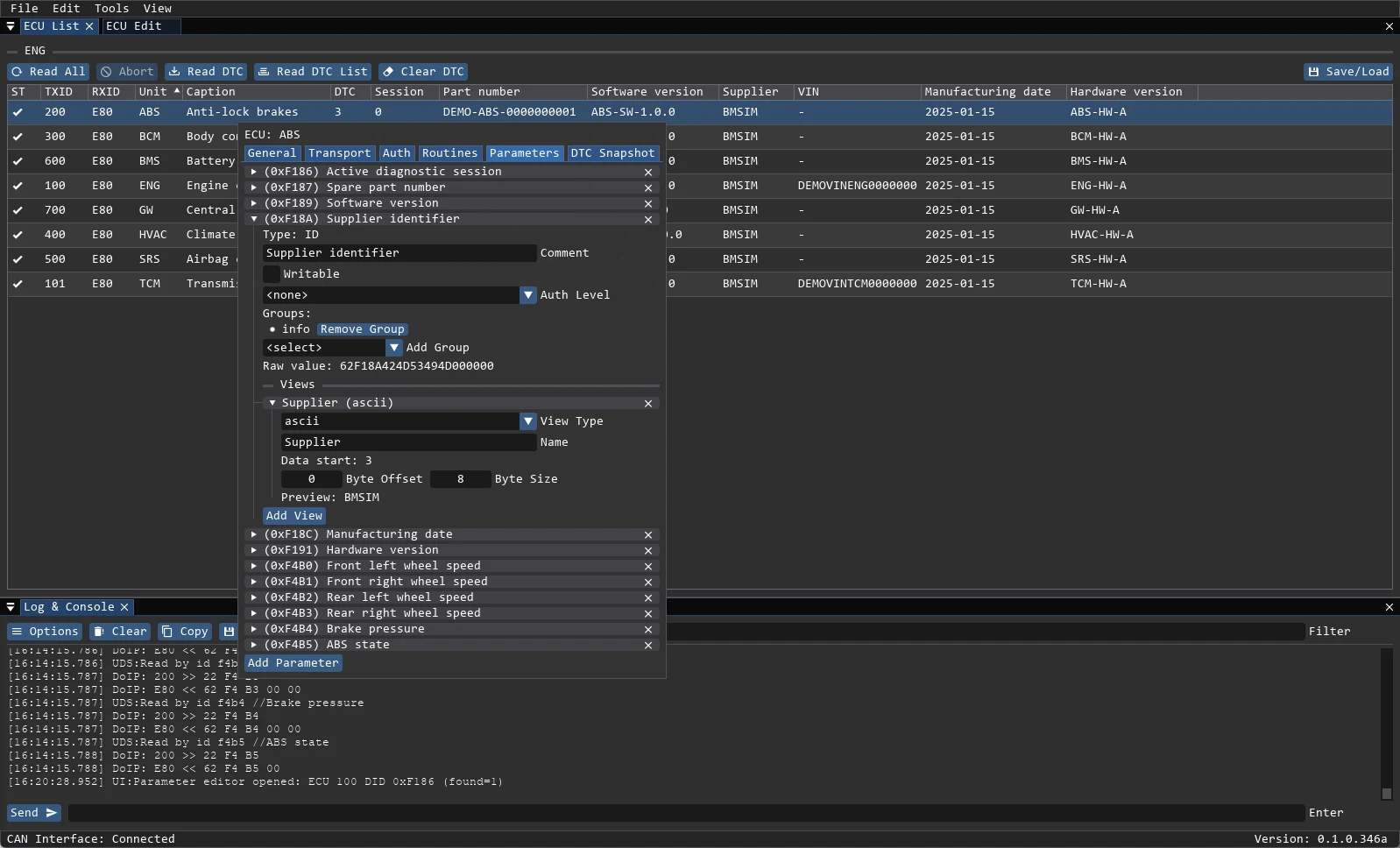
A parameter is a data identifier (DID) with a typed view. The raw payload is always kept, so you can inspect the bytes and still edit the value in a human-readable form.
Views
| View | Use |
|---|---|
uint | Unsigned integer |
int | Signed integer |
ascii | Text payload |
hex | Raw bytes as hex |
enum | Value mapped to names (values) |
combined | Several fields packed into one payload (sub_views) |
Each view has a name, byte offset and byte size. uint and int add scale (default 1.0), value_offset (default 0) and an optional unit. bit_offset and bit_size extract a bit field from the payload. For DID reads (type="ID") the value starts after the 62 DID_H DID_L header, i.e. at data_start=3.
The parameter editor shows the decoded value and the raw bytes together, so a round trip can be verified immediately after a write. Parameters carry groups: info, temp, measure, ioctl.
Reading and writing
- ECU List → Read All polls every parameter of every ECU in the project.
- Double-click an ECU to open ECU Edit; the Info tab reads
infoparameters, Parameters shows the rest. - Single values can be read from the row context menu or with
Ctrl+R;Ctrl+Ccopies the current value.Ctrl+Aselects all;Ctrl+click/Shift+clickselects multiple rows. - A write uses UDS
0x2Eand the security level configured for that parameter. If the ECU requires seed/key access, the project must reference a Seed2Key DLL indata/auth/. - Writable Values shows parameters with
writeable: true. A separatewrite_authlevel can protect the write. A parameter in groupioctlwithwriteable: trueappears both here (0x2E) and in IO Control (0x2F).
Incubator
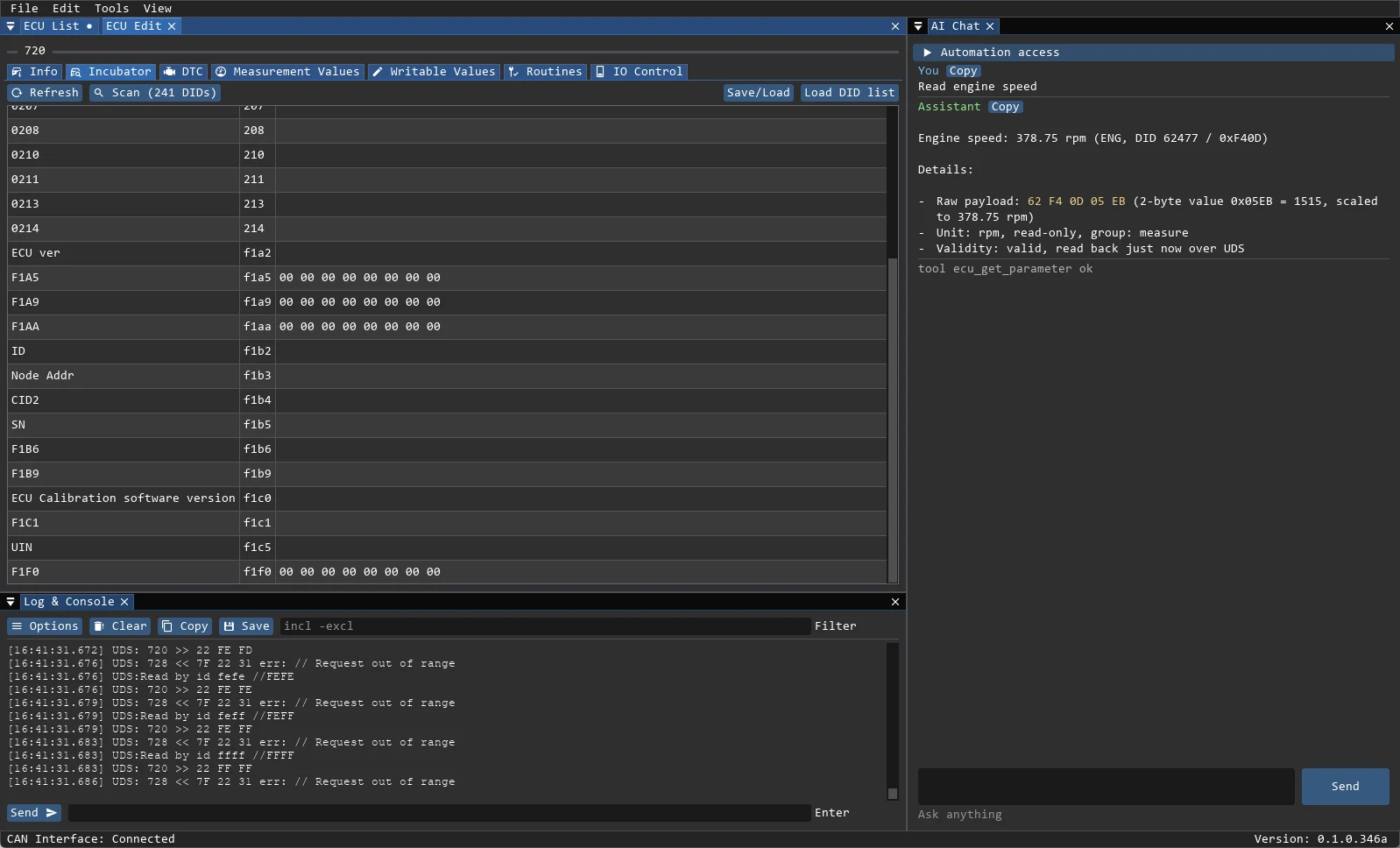
The Incubator tab is for identifiers that are not described in the project yet:
- Load DID list loads a
.bmdidfile. - Scan (N DIDs) sends UDS
0x22for every entry and adds the answers to thetempgroup. Stop Scan stops the run; long ranges take time and report progress in the log. - Refresh re-reads the
tempparameters. - Save or load the found data as
.bmdumpwith Save/Load.
The context menu of a temporary parameter can read it, switch the format between Hexadecimal and ASCII, move it to Info, Measure or IO Ctrl, copy it, or delete it.
Mass operations
ECU List → Read All reads every parameter of every ECU. Parameters in the measure group are also polled periodically from Measurement Values; info parameters have their own Refresh Info button.
Safety
Writing a parameter changes the ECU. A positive response means the ECU accepted the request, not that the value is correct for the vehicle. Read the value back and keep a project dump before experimenting.