Scripting and automation
Lua 5.4, JSON action buttons, an MCP server and an AI chat all drive the same project model. Scripts live inside the workspace, so they travel with the project.
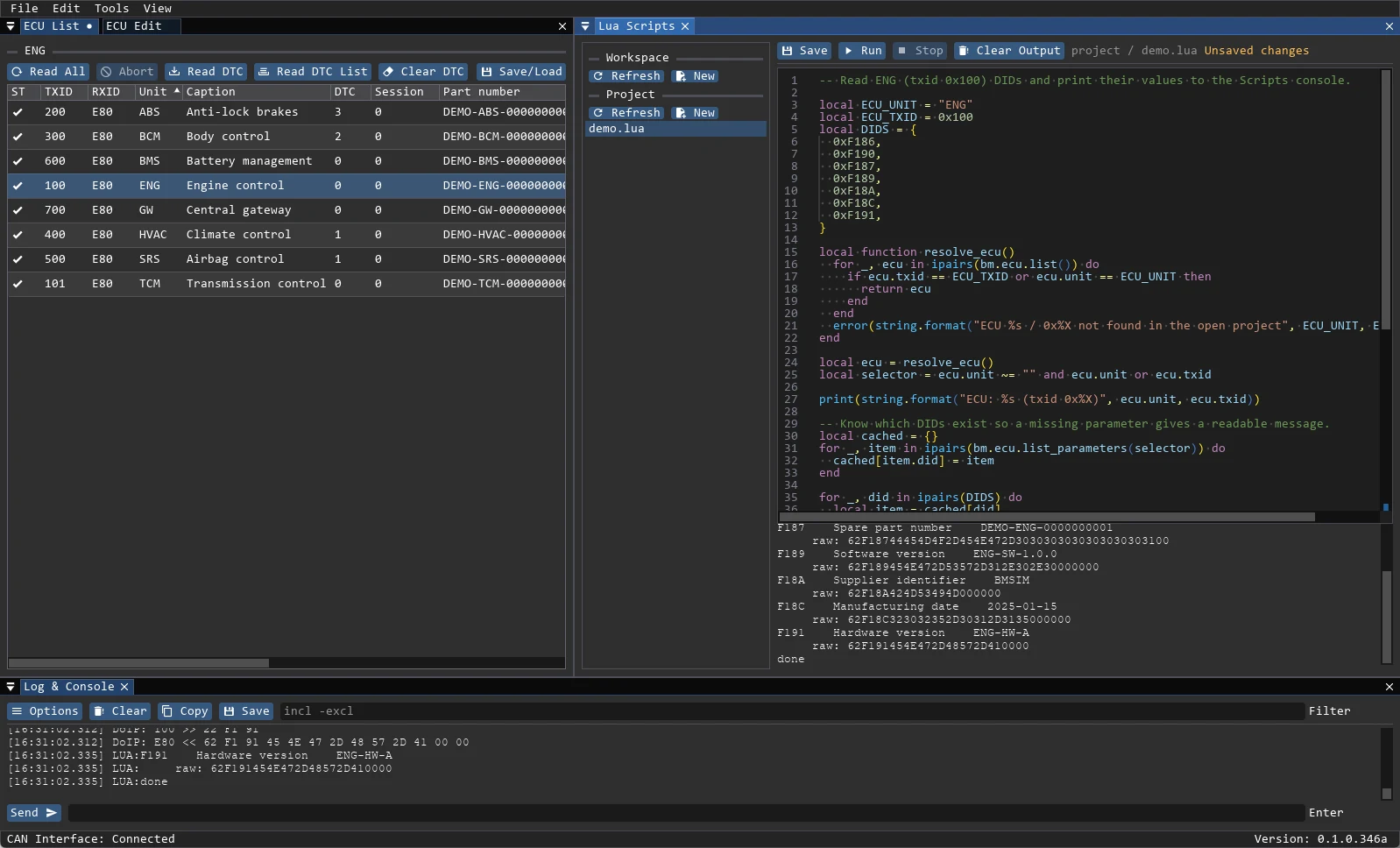
Lua scripts
Open Tools → Lua Scripts. Scripts are stored in:
<workspace>/scripts/*.lua— shared scripts;<project>/scripts/*.lua— project scripts, which take priority.
Run executes the script in a sandboxed Lua state; print and bm.log write to the Scripts output and the application log. Errors stop the script and are shown in both places. Live operations still require the automation permissions and confirmations.
lua
-- Read one DID and print the decoded value
local ecu = 0x100 -- txid; a unit string such as "ENGINE" also works
local p = bm.ecu.read_did(ecu, 0xF190)
print(string.format("%04X", 0xF190), p.value or p.hex)| Group | Examples |
|---|---|
| Project and ECU info | bm.ecu.list, bm.ecu.list_parameters, bm.ecu.list_dtcs |
| Parameters | bm.ecu.read_did, bm.ecu.read_all, bm.ecu.write_did |
| Faults | bm.ecu.read_dtcs |
| Live operations | bm.ecu.routine_start, bm.ecu.routine_stop, bm.ecu.io_control |
| Raw UDS | bm.ecu.raw_uds, bm.ecu.uds |
| Memory | bm.ecu.read_memory, bm.ecu.write_memory |
| Authentication | bm.ecu.auth_levels, bm.ecu.authenticate, bm.ecu.auth_seed, bm.ecu.auth_key |
| Firmware | bm.firmware.load, bm.firmware.save, bm.firmware.info, bm.firmware.recipe |
| Flashing | bm.ecu.flash, bm.ecu.download, bm.ecu.flash_begin, bm.ecu.flash_end |
The full reference is shipped with the application documentation.
Action buttons
Action buttons are loaded from JSON with File → Load Actions:
json
{
  "tab_name": "Actions",
  "action_buttons": [
    { "name": "Session 03", "comment": "Extended session", "group": "Session", "data": "10 03" },
    { "name": "Read VIN", "comment": "Lua action", "group": "Scripts", "script": "read_vin.lua" }
  ]
}datais a raw UDS request in hex; sending it requires confirmation.scriptis a.luafile from the project or workspacescripts/folder.groupis the button group (defaultDefault);commentis the tooltip.
Project scripts take priority over workspace scripts with the same name.
AI assistant and MCP
- The chat backend is either HTTP (OpenAI-compatible endpoint) or OpenCode ACP.
- The API key is stored in Windows Credential Manager; chat settings live in
%LOCALAPPDATA%\BlackMagic\chat.json, project history inchat_history.json. - Project changes and live ECU writes are enabled separately in Settings → Automation. Dangerous operations ask for confirmation.
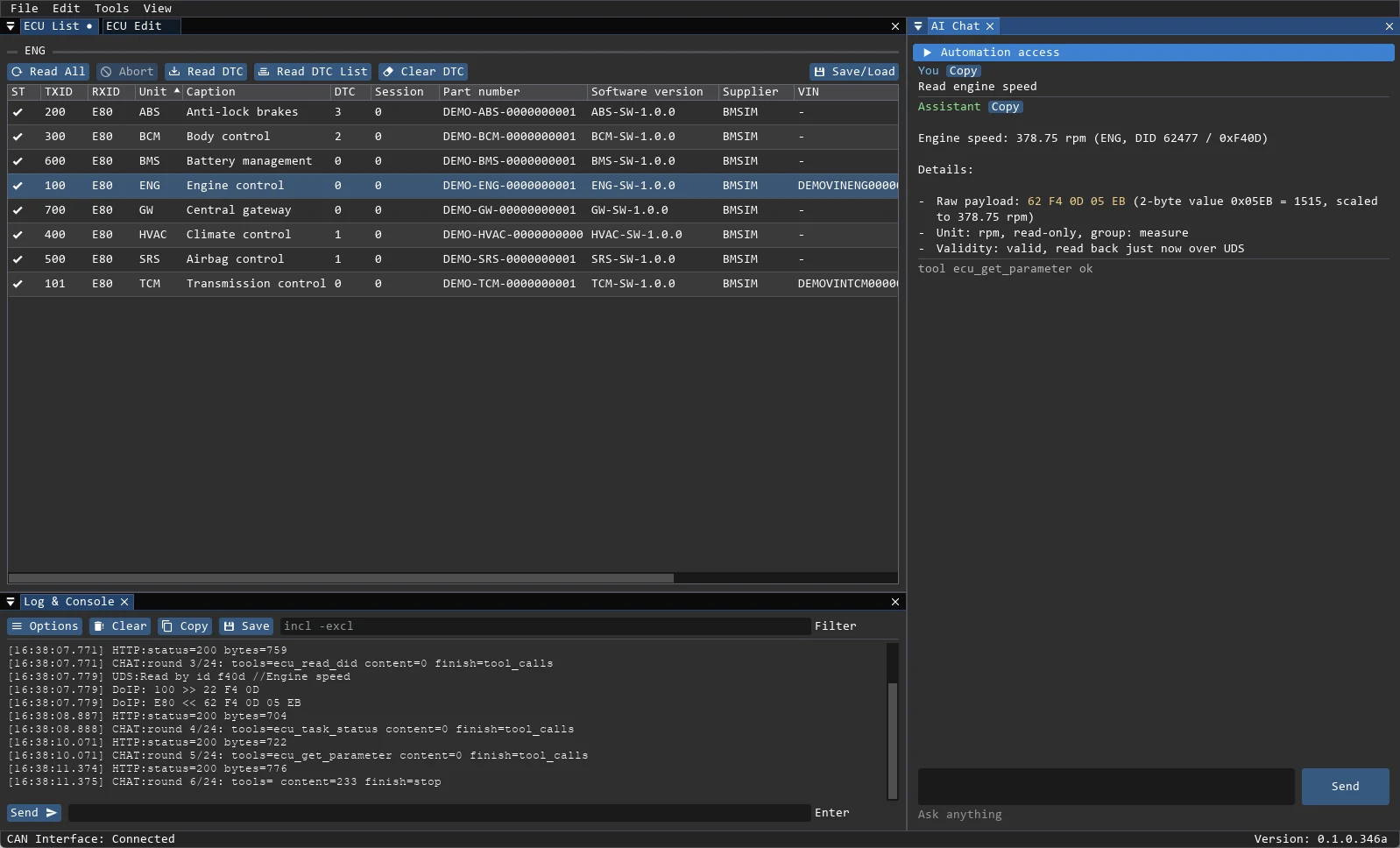
- The chat and MCP clients call the same tools: ECU list, DID/DTC reads, DID scan, writes, routines, IO control, memory and reports.
- HTTP rounds and tool calls are written to the log; a stalled request times out.