
Transports: CAN and DoIP
One ECU, one transport. The project chooses whether an ECU is reached through a J2534 CAN adapter or over Ethernet with DoIP.
CAN / J2534
- Any SAE J2534 Pass-Thru adapter with a working vendor driver.
- Standard 11-bit and extended 29-bit identifiers.
- The scanner offers 125, 250, 500 and 750 kbit/s and 1 Mbit/s.
- The adapter is selected in Settings → PassThru Interface; switching the driver reconnects the application. The status bar shows the connection state.
Bus scanner
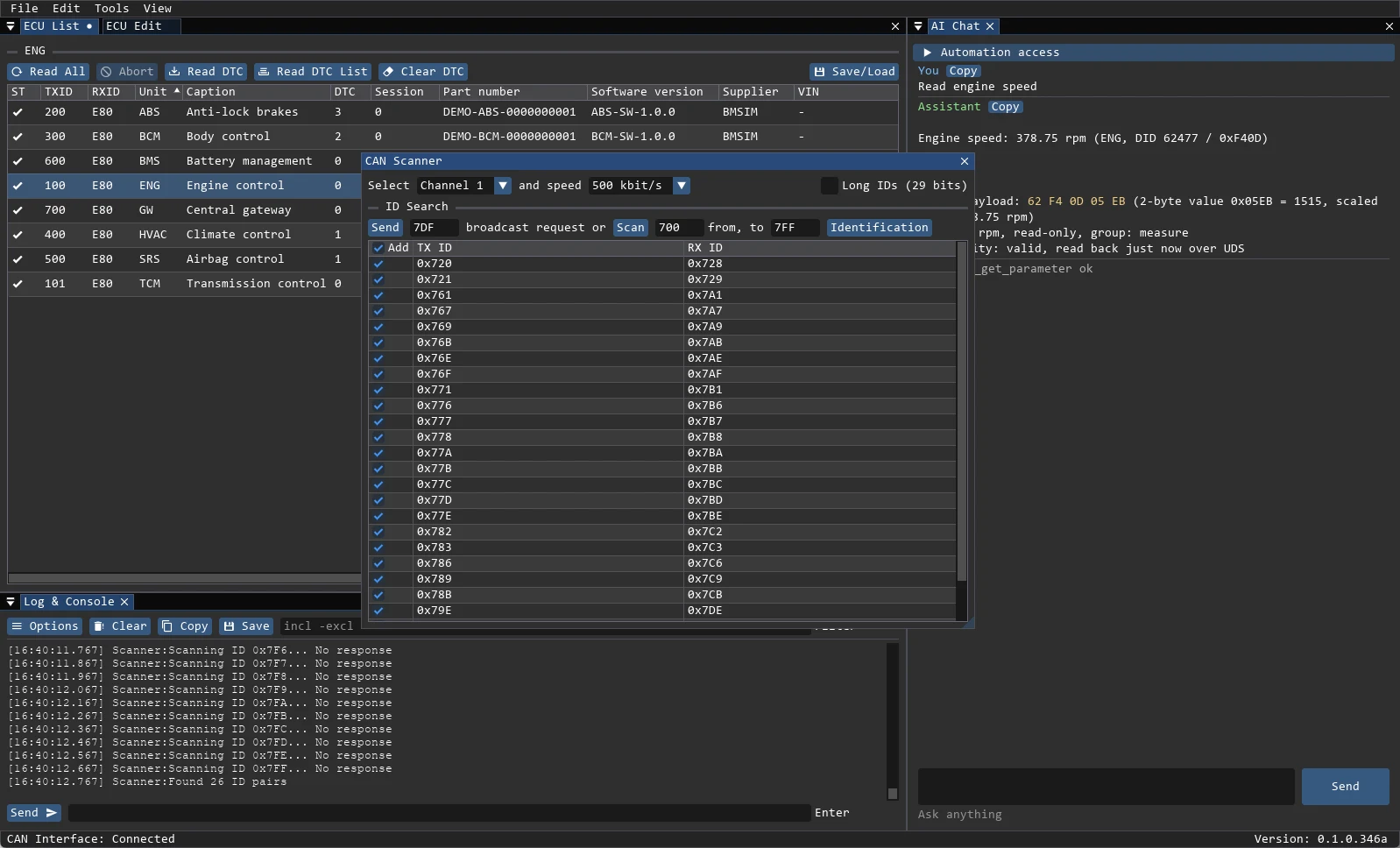
Tools → CAN Scanner finds ECUs that are not in the project yet:
- Broadcast sends a request to the selected ID,
7DFby default. - Scan walks an ID range,
700–7FFby default; Stop ends the run. - Long IDs (29 bits) enables extended identifiers.
- Found ECUs are shown in a table; selected pairs can be added to the project.
DoIP / ISO 13400
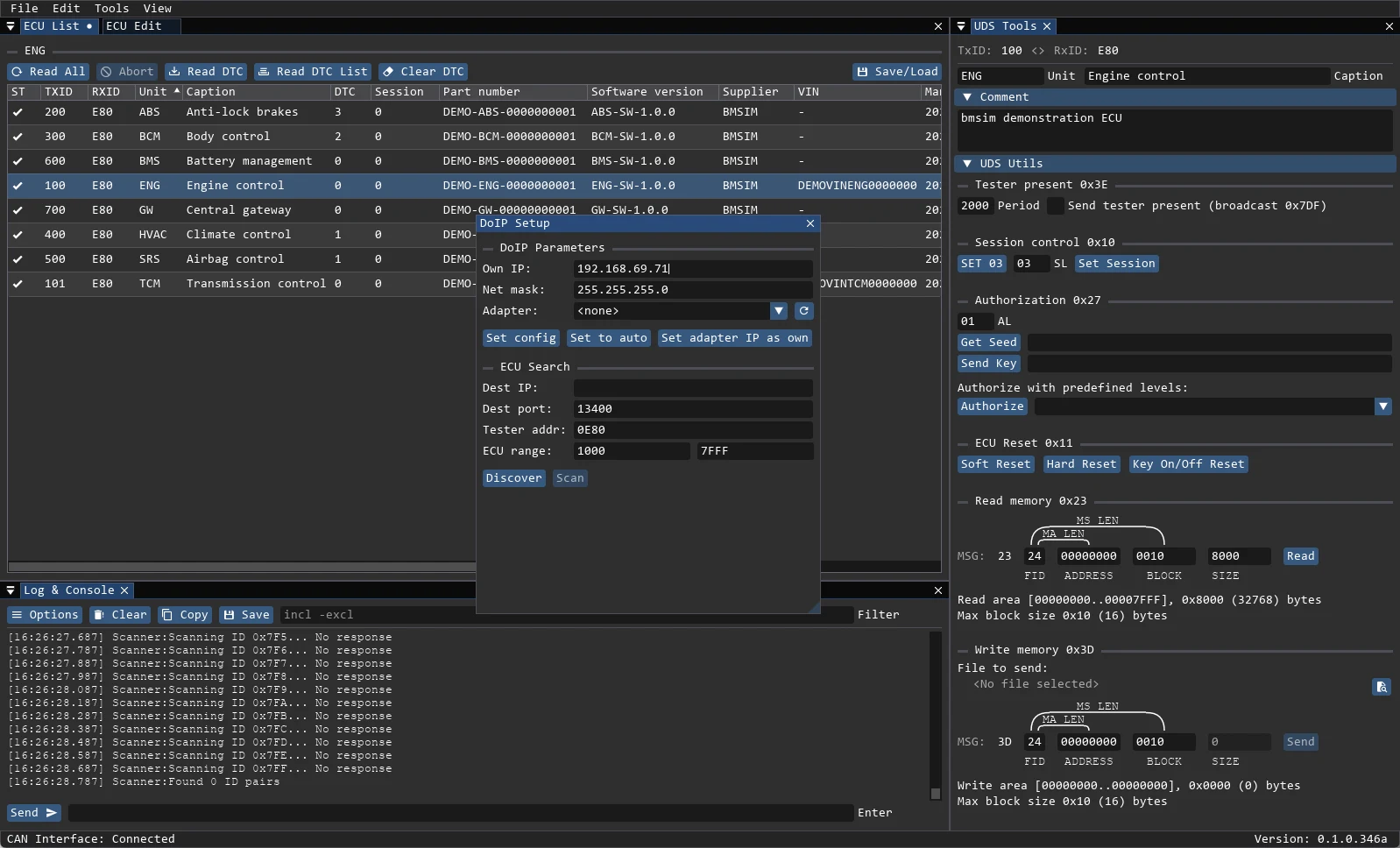
Tools → DoIP Setup configures the Ethernet side:
- Network adapter, Own IP and Netmask.
- Configure Static IP applies a static address; Set DHCP enables DHCP.
- Destination IP and Port, usually
13400. - Tester Address, usually
0x0E80. - Discover finds vehicles by UDP discovery.
- ECU Address From / To and Scan probe logical addresses; found ECUs can be added to the project.
- TLS and ISO 13400 authentication are supported by the DoIP client when the vehicle requires them.
Choosing the transport per ECU
Transport is part of the .bmecu definition, not a global switch. A project can mix a CAN engine ECU with a DoIP gateway, which is common on modern vehicles.
When nothing answers
- Check the status bar:
CAN Interface: Connectedonly means the adapter opened, not that the ECU answered. - Confirm the request and response IDs in the ECU definition — swapped IDs produce silence, not an error.
- For DoIP, confirm the tester address and that the vehicle is on the same subnet.
- Read the log: every transport error is written with the raw request and response.