
Read and clear faults
Fault memory is read over the same session as parameters. Save the table before clearing it.
Read
- ECU List → Read DTC reads current faults from every ECU.
- Read DTC List reads the codes the ECU supports, whether or not they are stored.
- In ECU Edit → DTC, the header shows the DTC format, supported flags and the number of stored codes.
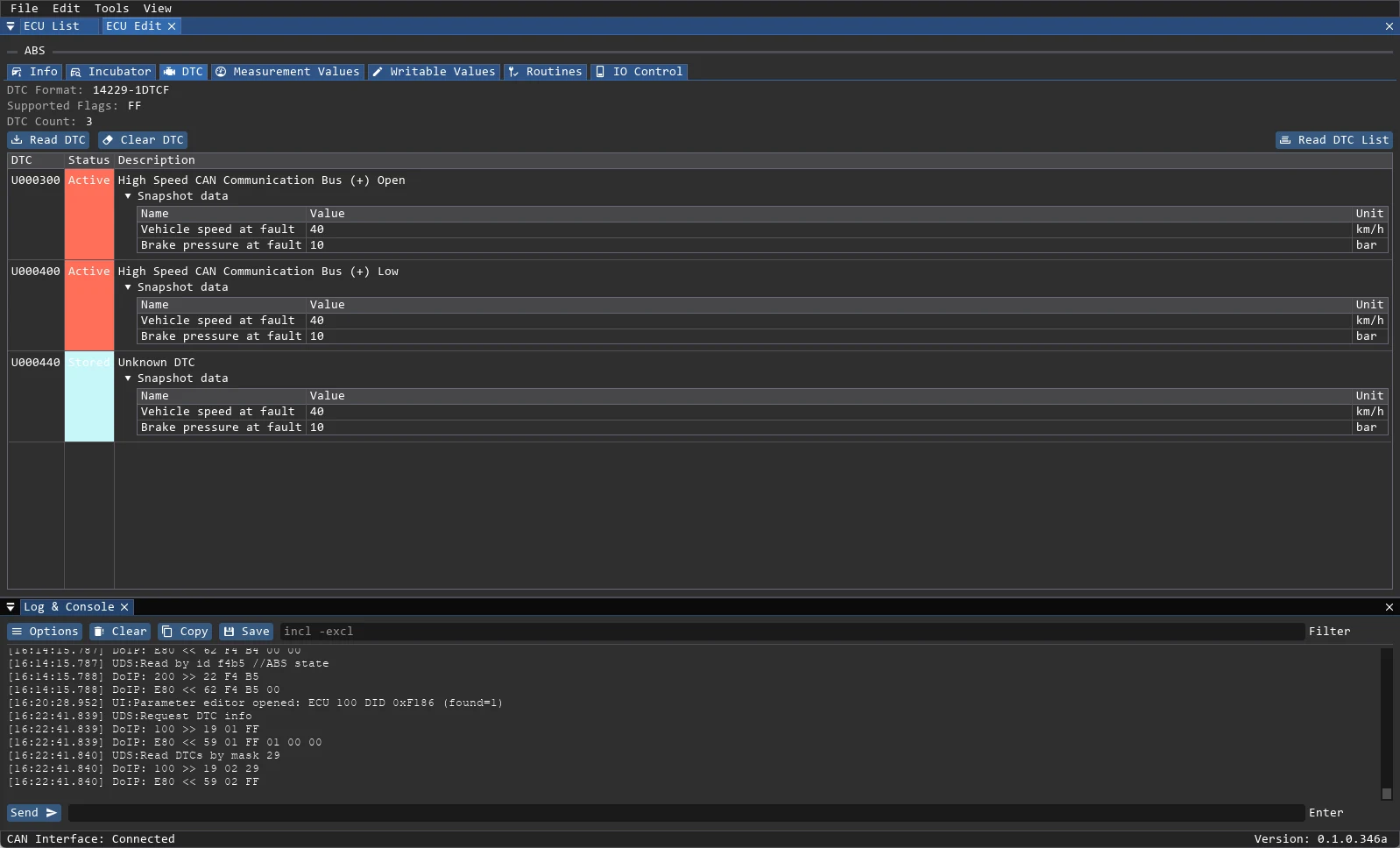
Snapshot data
Expand the snapshot section under a code to see the values recorded when the fault was set. The fields come from the project dtc_snapshot_data template. If a field has no description, the raw value is shown instead of a guess.
Status colours
- Red — Active.
- Blue — Stored.
- Green — Not Active.
The colour is a UI hint, not a replacement for the status byte. The raw status is available in the log.
Clear
- ECU List → Clear DTC clears every ECU in the project.
- ECU Edit → DTC → Clear DTC clears one ECU.
- Clearing is a write operation and asks for confirmation.
Before clearing, save a project dump (ECU List → Save/Load → Save Data) or export the ECU table to CSV. A cleared fault is gone unless it is still active and returns on the next driving cycle.
Descriptions
- Global database:
<workspace>/data/dtc/codes.jsonor.txt. - Project-local database: Project Properties → Local DTC File (
.jsonor.txt). - JSON uses a
codesmap; TXT uses oneCODE descriptionline per code. Lines starting with#or;are ignored. - Codes may be
P,C,BorUfollowed by 5 or 7 hex characters. - If a code has no description, the code is still read and exported; only the text is missing.
A missing DTC file is highlighted in red in Project Properties.